Skip to content

Label your data where it already lives

Annotide is a self-hosted annotation platform. It reads your images, video, audio, text and PDFs straight from your own object storage and writes only the annotations back — raw media never touches Annotide's servers.

Bring an Azure Blob container, an S3 bucket, Google Cloud Storage, a Databricks volume, a SharePoint site, or a local mount. Annotide’s backend issues a short-lived signed URL and the browser reads and writes that media directly — nothing is copied into Annotide’s own infrastructure. Its database stores only the annotations your team creates: shapes, labels, text, ratings.

Bring your own model endpoints too, with your own credentials — a managed identity, a service principal, an API key — for pre-labelling and active learning. Annotide calls them; it never trains or hosts a model for you.

How Annotide moves dataThe browser sends annotations to Annotide and reads and writes media directly in your own object storage, using short-lived signed URLs that Annotide issues. Annotide's database stores only annotations, never the media itself.Browserannotators and reviewersAnnotideAPI, worker, PostgreSQLannotations onlyYour storageAzure Blob · S3 · GCSor a local folderannotationsmedia, directlyshort-lived signed URLssigns URLs

Annotation tools & media types

Images, video, audio, text, PDF, time series and LLM evaluation, each with the tools that fit the data.

Quality control

A review workflow with consensus and gold items, and a dashboard that shows where quality stands.

Models & active learning

Pre-label with your own models, prioritize the queue by uncertainty, and track model lineage.

Data & exports

Snapshot a dataset, split it, and export or import in the format your training pipeline expects.

Integrations, SDK & MCP

A typed Python SDK and CLI, an MCP server for AI agents, and webhooks into the systems you already run.

Security & SSO

OIDC and SAML single sign-on, SCIM provisioning, an audit log, and telemetry you can see and turn off.

Deployment

Docker Compose for evaluation, a Helm chart for production on any cloud, and a ready-made Azure path.

See the detail for each area on the features page.

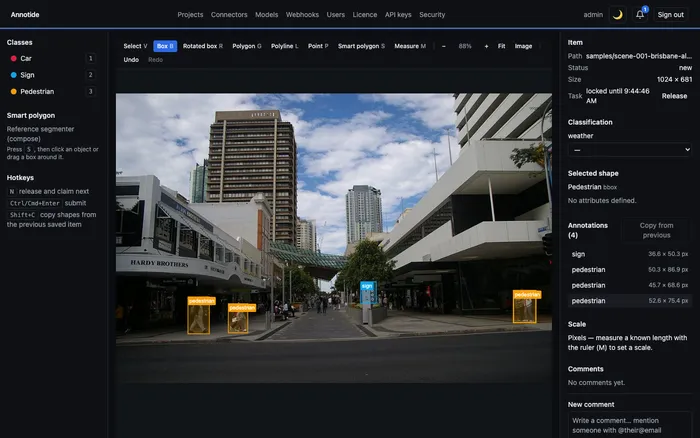
The Konva-based annotator with box annotations on a street scene, class list and hotkeys on the left, item and annotation detail on the right.
Drawing boxes on an image, with classes, hotkeys and item detail alongside.
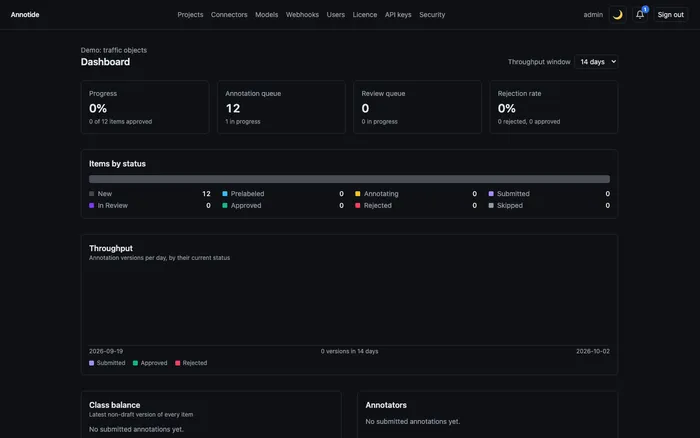
Project dashboard showing progress, queue sizes, item status breakdown and throughput.
A project dashboard: progress, queues, item status and throughput.
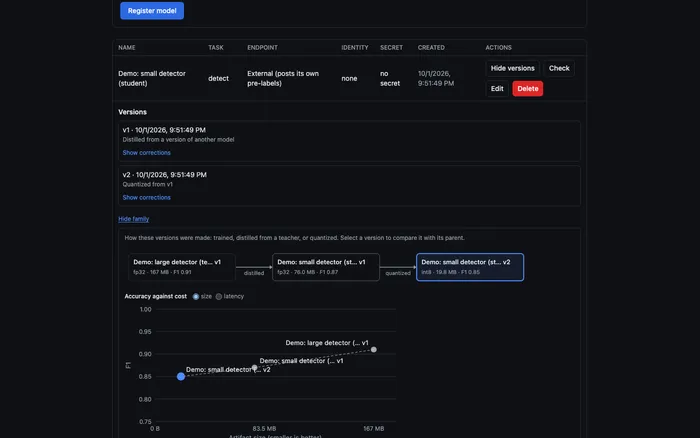
Model family view showing a teacher model distilled and then quantized into two student versions, plotted by accuracy against size.
Model family view: distillation and quantization lineage, plotted by accuracy against size.